Physical therapists › Virtual physical therapy
Measure range of motion live, on your video call.
You cannot put a goniometer on a patient over video. With MotionArc you can still measure. Capture range of motion and movement during the visit, in the video tool you already use. Your patient just needs a camera.
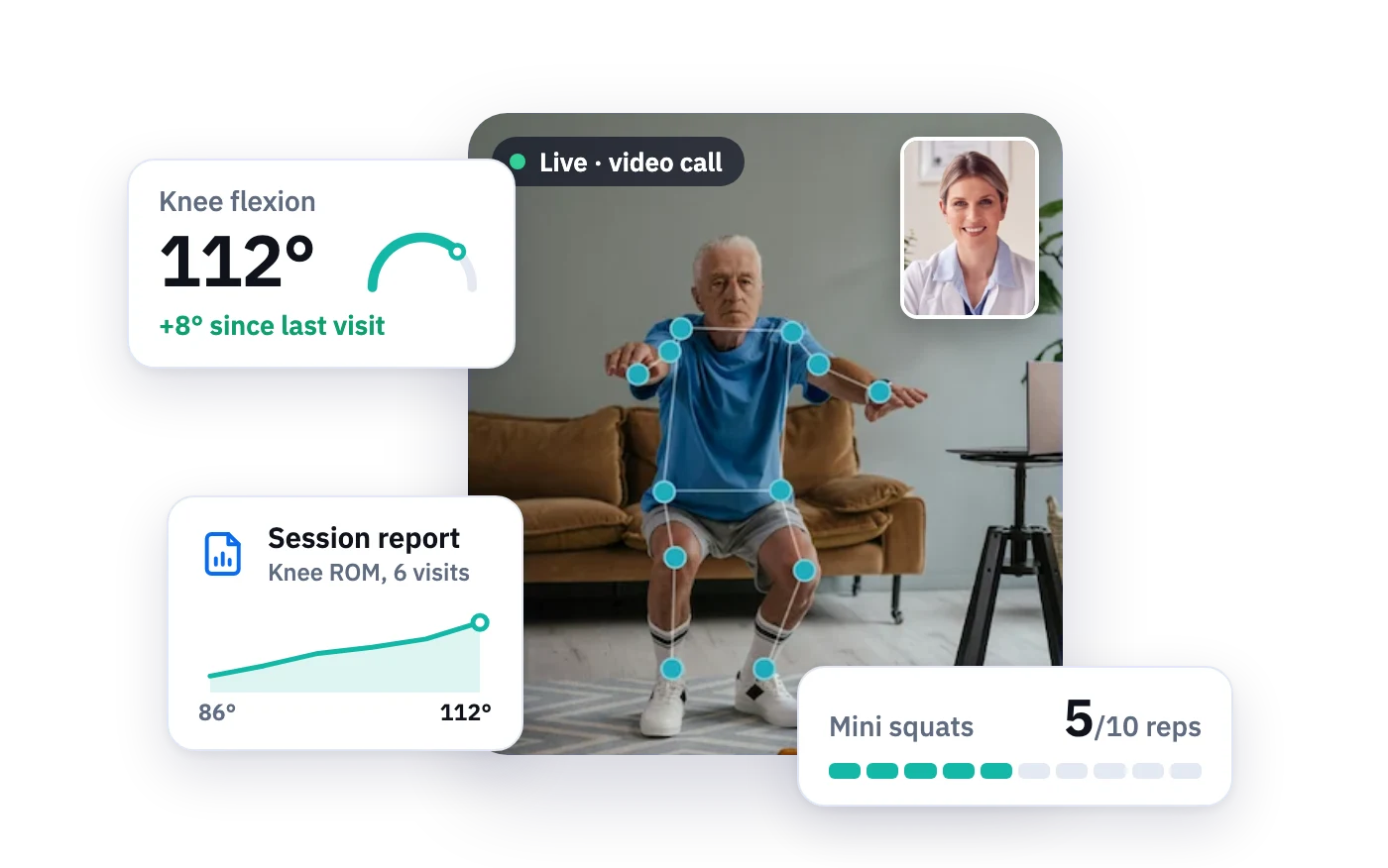
Virtual care has a measurement gap.
Video lets you see the movement. It does not give you the number.
Eyeballing over video
Angle, distance, and lighting change what you see, so video estimates run rough.
Patients self-report
“It feels a bit better” is hard to chart and even harder to compare next week.
Progress is hard to prove
Without numbers, remote care can look less credible to patients and to referrers.
Real numbers need a visit
A real measurement means a clinic trip, the very thing virtual care should avoid.
Objective measurement inside the visit you are already running.
No new call software. No kit for your patient.
Measure live, during the call
Ask your patient to move. MotionArc measures range of motion and movement while you watch, coach, and talk them through it.
Works with your video tool
Keep running visits in the video tool you already use. There is no new call software for you or your patient to learn.
Progress you can show
Every result is saved, so you and your patient see change from session to session. A report is ready to share or add to your notes.
As simple as the call itself.
Your patient just needs a camera.
1. Start your video visit
2. Run the assessment
3. Get the numbers
4. Share the report
The piece that makes remote assessment credible.
Starting a virtual practice? Objective assessment is what makes the model work. Already running one? It is the layer that has been missing.

First visits
Capture a baseline on the very first call.

Progress check-ins
Re-measure the same movement every session and compare.
Discharge
Show the change from first visit to last, in numbers.
Remote care that measures up.
What virtual physical therapy looks like with objective numbers.



No trip in for a number
Credible progress
A stronger offer
Cleaner notes

Questions virtual physical therapists ask us
Straight answers. If yours is not here, request access and ask us anything.
Yes. MotionArc works with whatever video tool you already use for visits.
Just a camera on a phone, tablet, or laptop. There is nothing for them to buy or wear.
Range of motion and movement, live during the call. We are adding more assessments over time.
Yes. The same tool works in the clinic or at a patient’s home with any camera. See MotionArc for home visits.
Clinicians sign a business associate agreement (BAA) with us before any real patient data is entered.
No. Patients are optional. You can run an assessment and get the numbers without creating a patient record.
By default, the video is analyzed in your browser and does not leave your device. If you turn on cloud processing, frames are sent to our servers, analyzed and discarded, not stored. Clips are recorded only when recording is switched on and the person has agreed. Recorded clips are kept in our cloud storage.
Pricing is simple and usage-based. You pay for what you use, with no per-clinic lock-in.
Request access
Tell us a bit about your work.