Free online goniometer.
Measure a joint angle from a photo. Tap the joint and a point on each segment, and read the angle. It runs in your browser and nothing is uploaded.
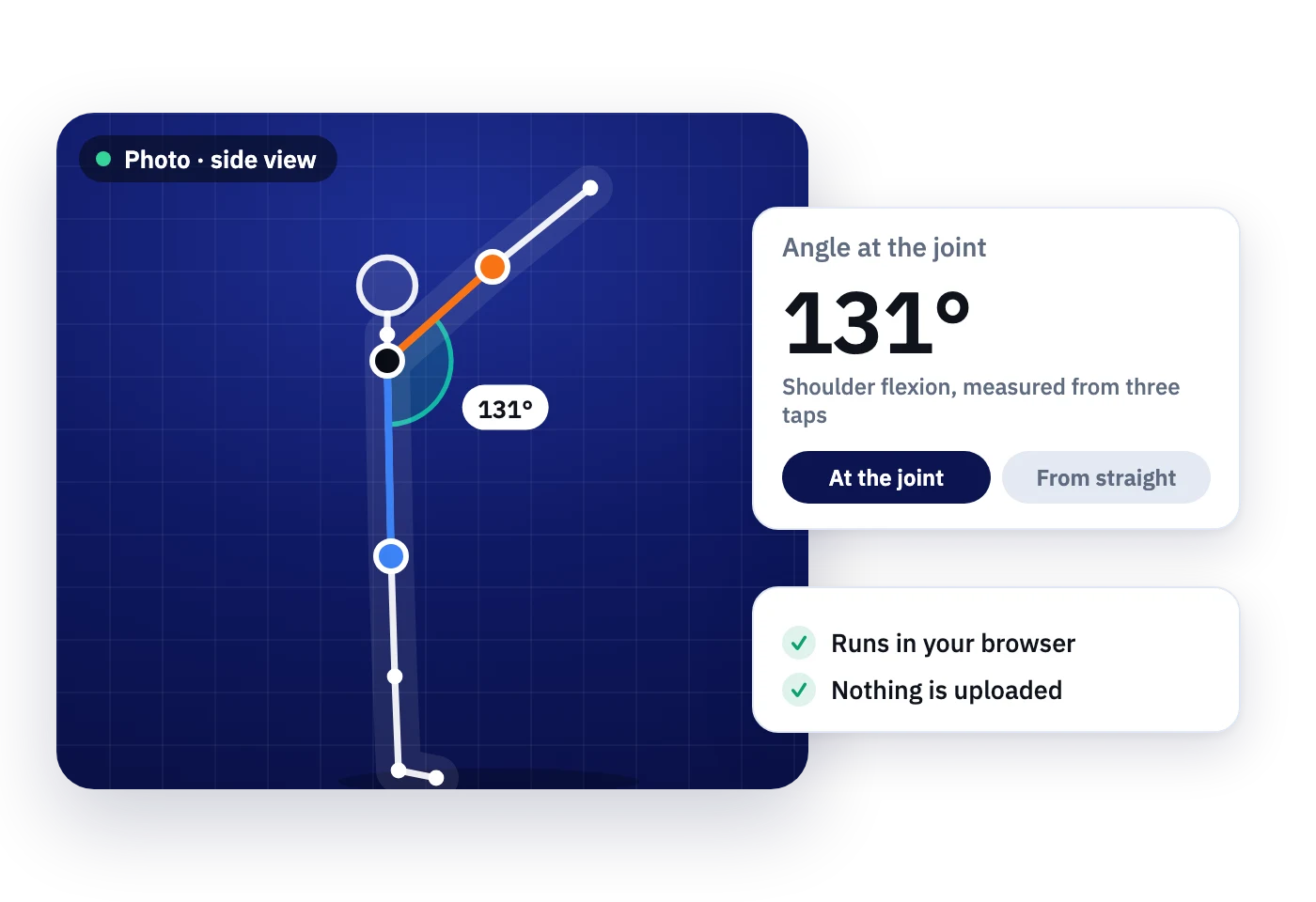
Example photo. Add your own to start measuring.
The angle between the two segments, as you would read it for shoulder flexion with the arm against the trunk.
- Add a photo taken side-on to the movement, with the camera level with the joint.
- Tap the joint where the goniometer axis would sit.
- Tap the stationary segment, then the moving segment. Drag any point to fine-tune.
Your photo stays on your device. Nothing is uploaded or stored.
How to get a good reading from a photo
A photo goniometer works like a universal goniometer laid over a picture. The reading is only as good as the photo, so most of the work happens before you tap.
Shoot square to the movement
Side-on for flexion and extension, front-on or from behind for abduction. If the limb moves toward or away from the camera, the angle in the photo shrinks.
Keep the camera level with the joint
Hold the phone at joint height and don't tilt it. A camera looking down at a knee or up at a shoulder bends the lines you are measuring.
Get both segments in frame
Include the landmark at each end of both segments, and tap as far out along each segment as you can. Longer arms give a steadier angle.
Mark the landmarks first
Small skin stickers on the landmarks you would use with a goniometer make the points easy to find in the photo and repeatable next visit.
Where to tap for common motions
Tap the axis first, then a point on the stationary segment, then a point on the moving segment. Choose Angle at the joint or Bend from straight to match how the motion is recorded.
| Motion | 1. Joint (axis) | 2. Stationary segment | 3. Moving segment | Read as |
|---|---|---|---|---|
| Shoulder flexion | Shoulder, near the greater tubercle | Down the trunk, midaxillary line | Along the upper arm to the lateral epicondyle | Angle at the joint |
| Shoulder abduction (from behind) | Back of the shoulder, near the acromion | Down the trunk, parallel to the spine | Along the upper arm to the elbow | Angle at the joint |
| Elbow flexion | Lateral epicondyle | Up the upper arm to the acromion | Along the forearm to the radial styloid | Bend from straight |
| Hip flexion (lying, knee bent) | Greater trochanter | Along the trunk and pelvis | Along the thigh to the lateral femoral epicondyle | Bend from straight |
| Knee flexion | Lateral femoral epicondyle | Up the thigh to the greater trochanter | Down the shin to the lateral malleolus | Bend from straight |
| Ankle dorsiflexion | Lateral malleolus | Up the shin to the fibular head | Along the outside of the foot, parallel to the fifth metatarsal | Angle at the joint, then subtract it from 90° |
Landmarks follow standard goniometric alignment. For full patient positioning and normal values, see the normal range of motion chart.
What a photo can and can't tell you
- It is one frame. You measure the moment the photo was taken, so ask the patient to hold the end of the range.
- It is two-dimensional. Rotation and movement toward the camera don't show up correctly. Rotations of the shoulder or hip are better measured with the joint positioned so the arc faces the camera.
- It is a tool, not a diagnosis. Use it alongside your clinical assessment, and record how the photo was taken so the next measurement is comparable.
MotionArc finds the joints for you and measures range of motion, form and balance from any phone, tablet or laptop camera, in the clinic or on a video call.
Or let the camera do the measuring.
MotionArc finds the joints for you, in the clinic or on a video call.
Goniometer questions
Straight answers. If yours is not here, request access and ask us anything.
No. The photo is opened and measured in your browser and never leaves your device. Closing the page clears it.
As accurate as the photo. Taken square to the movement with the camera level with the joint, a photo reading behaves much like a universal goniometer. Oblique or tilted photos make angles look smaller or larger than they are.
Angle at the joint is the angle between the two segments. Bend from straight is 180° minus that, which matches how motions like knee and elbow flexion are recorded, where straight is zero.
Yes. Save image downloads the photo with the points and angle drawn on it, so you can add it to your notes.
These resources are free to use. MotionArc itself is in early access: pricing is simple and usage-based, and early access includes a free usage allowance so you can try it on real work.
The goniometer on this site runs in your browser and never uploads photos. In MotionArc, clinicians sign a business associate agreement (BAA) with us before any real patient data is entered.
Request early access
Tell us a bit about your work. We review every request personally and set you up ourselves.